




OCC | Backup & Restore for Microsoft 365
- Comprehensive protection of your data
- Rapid recovery in an emergency
- Control and responsibility over your data
- Specially developed to meet the needs of European companies
Maximum data security
The Backup & Restore module complements the Online Compliance Center with robust backup and restore functions.
Our solution supports companies with their Microsoft 365 strategy and ensures maximum control and security for their data.
Microsoft 365 (formerly Office 365) has become indispensable for modern businesses and offers numerous powerful services – including its own backup. However, complete data backup is not part of Microsoft’s core competence, and for compliance reasons, an additional backup is strongly recommended.
With the Microsoft 365 backup solution, you eliminate the risk of data loss. Thanks to Backup & Restore, you have access to your data at all times and retain full control over Exchange Online, SharePoint Online, OneDrive for Business and Microsoft Teams. This means your data remains protected and available at all times, independently of Microsoft.

Made in Germany
Specially developed for the European market, hosted in Germany and tailored to the highest compliance requirements – the only backup solution that combines all the advantages of established market solutions.
All in one solution
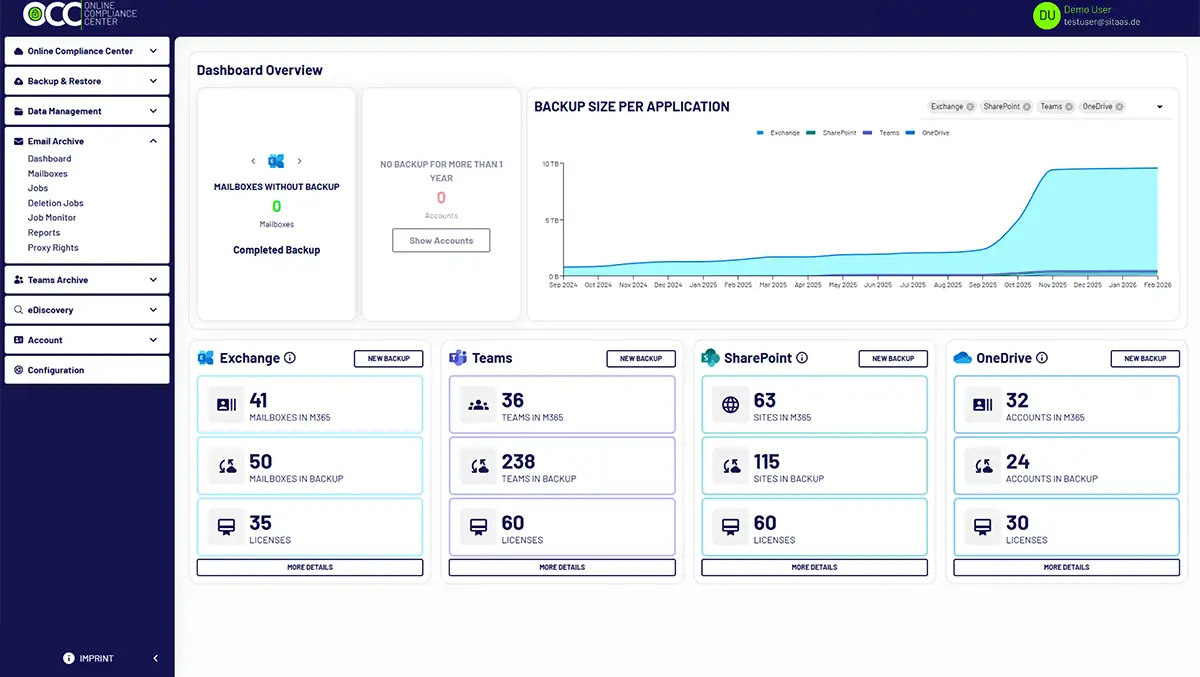
Each licence covers the complete Microsoft 365 portfolio – including Exchange, OneDrive, Teams and SharePoint. All data is stored securely in German data Centers. The dashboard provides you with a comprehensive overview of your backup and your Microsoft 365 environment, including the labels used.
Exclusive features
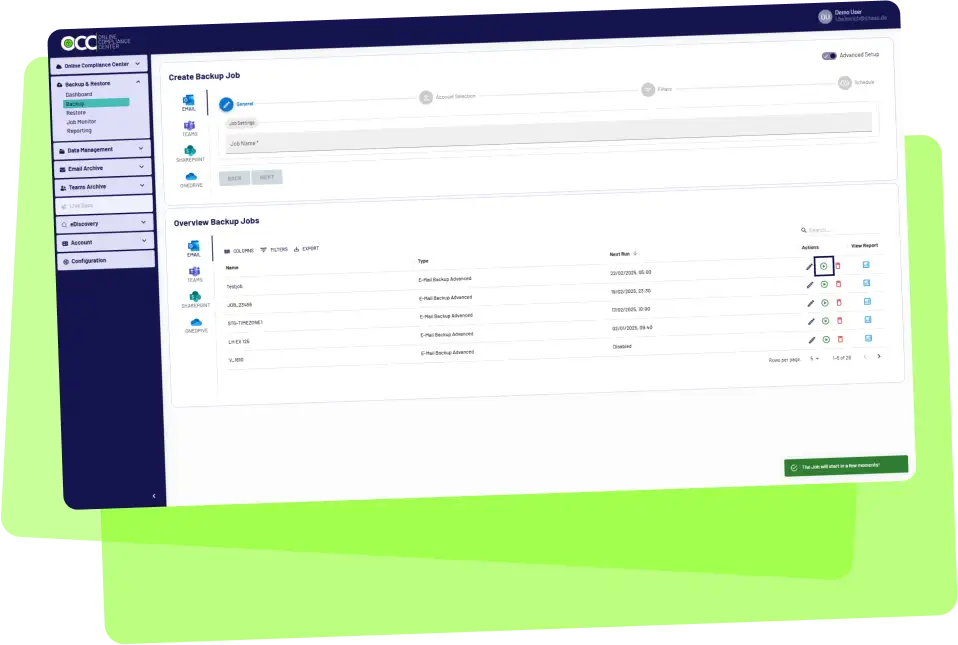
With Backup & Restore, you get a backup solution developed specifically for the German market that is continuously adapted to customer needs – including support for Microsoft Purview sensitivity labels and consideration of ACL for complete rights transfer during restore.

Future-proof
Our solution is based on Microsoft Azure and collects data directly via Microsoft APIs. Thanks to the shortest transmission path, we enable fast backup and efficient recovery of your data.
Essential for your Microsoft 365 data backup

Comprehensive protection of important data

Rapid recovery of your data

Introduction of an exit strategy
e.g. due to vendor lock-in by AIP encrypted data

Control and responsibility over your data
Shared-Responsibility-Model
Licences for each stage
Online Backup & Restore for Microsoft 365 offers a simple and flexible licensing model. You pay for each user backup, unless you delete that user’s backed-up data
€ 3,30
Up to 200 licences
€ 2,60
From 200 licences
per month
/
monthly bill
/
plus VAT
Monthly cancellable user-based licence. You only pay for what you need each month in advance.
- 1 Exchange mailbox
- 1OneDrive account
- 2 SharePoint websites
- 2 teams within Microsoft Teams
- Personal chats
€ 3,05
Up to 200 licences
€ 2,30
From 200 licences
per month
/
annual accounts
/
plus VAT
Attractive prices through the licensing of a fixed number of users over a period of 12 months with advance payment.
- 1 Exchange-mailbox
- 1 OneDrive-account
- 2 SharePoint-Websites
- 2 teams within Microsoft Teams
- Personal Chats
€ 2,90
Up to 200 licences
€ 2,00
From 200 licences
monthly
/
annual bill or upfront
/
plus VAT
Ensure planning security and attractive prices with a 36-month licence for a fixed number of users. Choose between flexible annual prepayment or a one-off payment.
- 1 Exchange-mailbox
- 1 OneDrive-account
- 2 SharePoint-Websites
- 2 teams within Microsoft Teams
- Personal Chats
Online backup and restore for Microsoft 365
Can’t find your question here?
Please feel free to contact us!
How many Microsoft 365 users should I back up?
All! Every user in your organisation generates data every day, and most, if not all of this Microsoft data has some value. Losing this data can have serious consequences for your organisation. To remain compliant at all times, it is therefore important to backup all data.
Does Microsoft 365 already back up my data automatically?
It is a common misconception that Microsoft automatically backs up all your Microsoft 365 data within the cloud service you have purchased. While Microsoft offers high reliability and integrated tools for various functions, it does not provide an integrated back up solution as part of normal Microsoft 365 usage. Microsoft refers to the so-calles shared responsibility model: it describes what the cloud service provides and what responsibility customers themselves must assume for protecting their Microsoft 365 data.
How can you back up your Microsoft 365 data?
To back up your Office 365 data, we recommend using a third-party backup solution (read our whitepaper Microsoft or Third Party?). Backup&Restore offers simple processes for creating backups and sufficient flexibility in scheduling to meet all RPO (Recovery Point Objectives) and RTO (Recovery Time Objectives). Furtermore, Backup & Restore offers a fast and granular data recovery with advanced search capabilities via the eDiscovery portal, allowing administrators to quickly find the items they need to meet various compliance requirements.
What is the default retention policy in Microsoft 365?
The retention periods for deleted data in Office 365 vary depending on the application. In an Exchange Online mailbox,” Deleted items” are stored for 14 days by default, although this period can be extended to up 30 days.
In Sharepoint Online, deleted files that have been removed via the browser remain in the recycle bin for 93. days.
If an employee`s Microsoft account is deleted after they leave the company, the associated user data is also removed after 30 days and is only available if it has been previously backed up in a backup solution. Setting up retention policies is time-consuming, and human error during configuration can lead to data loss. This is another reason why backing up Microsoft 365 data is essential to protect against such risks.
How is Backup & Restore licensed?
A licence under Backup & Restoreis required for each account that has a backup. A Backup & Restore licence includes one email account, one OneDrive account, two Sharepoint sites and two Teams. The minimum purchase is 10 licences. If the customer requires more Sharepoint sites or more Teams backups, these can be purchased separately.
Accounts in the backup are automatically deleted if they have not been included in an active backup job for one year. However, the customercan add these accounts to their backup at any time and will be reminded of this in goodtime before deletion, so that there is sufficient time to take action.
Why should I use Backup&Restore instead of Microsoft`s own backup solution?
Microsoft now has its own backup solution. Nevertheless, this means that all your data is stored with a single provider and you are independent on Microsoft. You can be secure and independent if the backup of this data is carried out by a third-party provider such as sitaas GmbH. This is because a backup strategy that is independent of the actual manufacturer is essential in order to implement all compliance requirements.
Backup & Restore is a solution that has been developed from the archiving of this data. Data backup and recovery is secure, reliable and fast. The service also leaves nothing to be desired in terms of functionality and is significantly more comprehensive than its well-known competitors, e. g. from Switzerland. Backup & Restore also has a solution for working with Microsoft Purview Information Protection and sensitivity labels. Backup & Restore is a German solution that is particularly suited to the needs of German SMEs. The data is stored in Germany. All in all, it is a solution or service that German companies shpuld use to take control of their data.
Why should I use Backup & Restore instead of other third-party solutions??
Customers can only be secure and independent if their Microsoft 365 data is backed up by third-party provider such as sitaas GmbH. In recent years, a number of providers have established themselves and made a name of themselves in the field of backup and restore, including veeam, AvePoint and Skykick and Barracuda. Some of these providers are now also working on archiving solutions to expand their portfolio.
Backup & Restore is a solution that has envolved from the archving of this data. Data backup and recovery is secure, reliable and fast. The service also leaves nothing to be desired in terms of functionality ans is significantly more comprehensive than its well-known competitors. One forward-looking difference is the handling with Microsoft Purview information Protection and sensitivity labels., to which most providers do not yet have an answer. Backup & Restore can process the labels for backup and restoration. Backup & Restore is a German solution that is particularly suited to the needs of German SME`s. The data is stored in Germany. All in all, it is a solution or service that German companies should use to take control of their data.
We have tested some of the established solutions on the market and produced a white paper on the key differences. Take a look at “ White Paper” and see for yourself.
Where can I get an impression of Back & Restore?
You are welcome to test our Backup & Restore module for 14 days. To do so, register for free and without providing any payment details under “Free trial” at the top on the right side of our website.
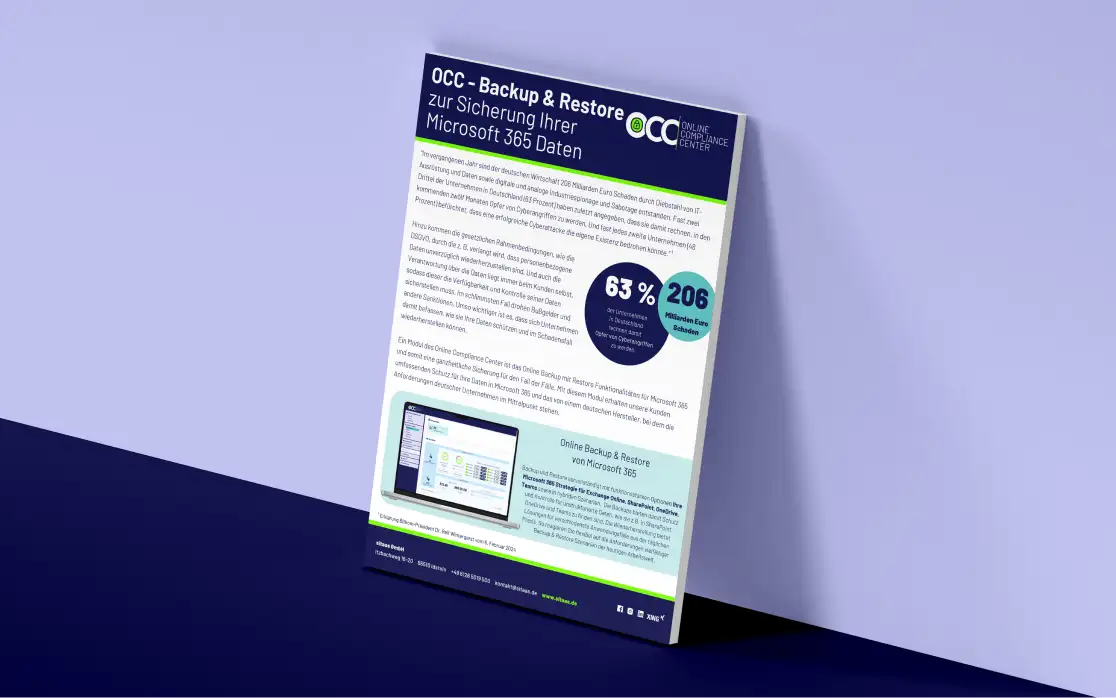
Our complete product guide for you to download
Download our detailed product PDF now and get all the important information at a glance.
Download now